Customer Profile
Stay connected using KS Relay Services
Relay Customer Profile
If you already have a Customer Profile, click here.
The Kansas Relay Customer Profile form allows consumers to list their preferences for calls, such as:
- Frequently dialed numbers
- Emergency numbers
- Preferred gender of operator
- Announcing relay service
As a consumer, you have flexibility in updating your preferences at any time.
How to Set Up Your Customer Profile
Below are two options of filling out your Customer Profile:
Customer Profile Online
Fill out the profile form online or download the profile instructions
Contact Customer Service
You can set up your Customer Profile by contacting Kansas Relay Customer Service at:
(800) 766-3777 (TTY/Voice)
(866) 305-1343 (Español-TTY/Voz)
(877) 305-1344 (Speech-to-Speech)
(866) 479-7566 (Voice Carry-Over only)
access@t-mobile.com (Email)
Representatives will take your request and can set up your Customer Profile while you are on the phone or send you a form to complete.
They are also available to answer any questions you may have.
How Do I Get in My Customer Profile?
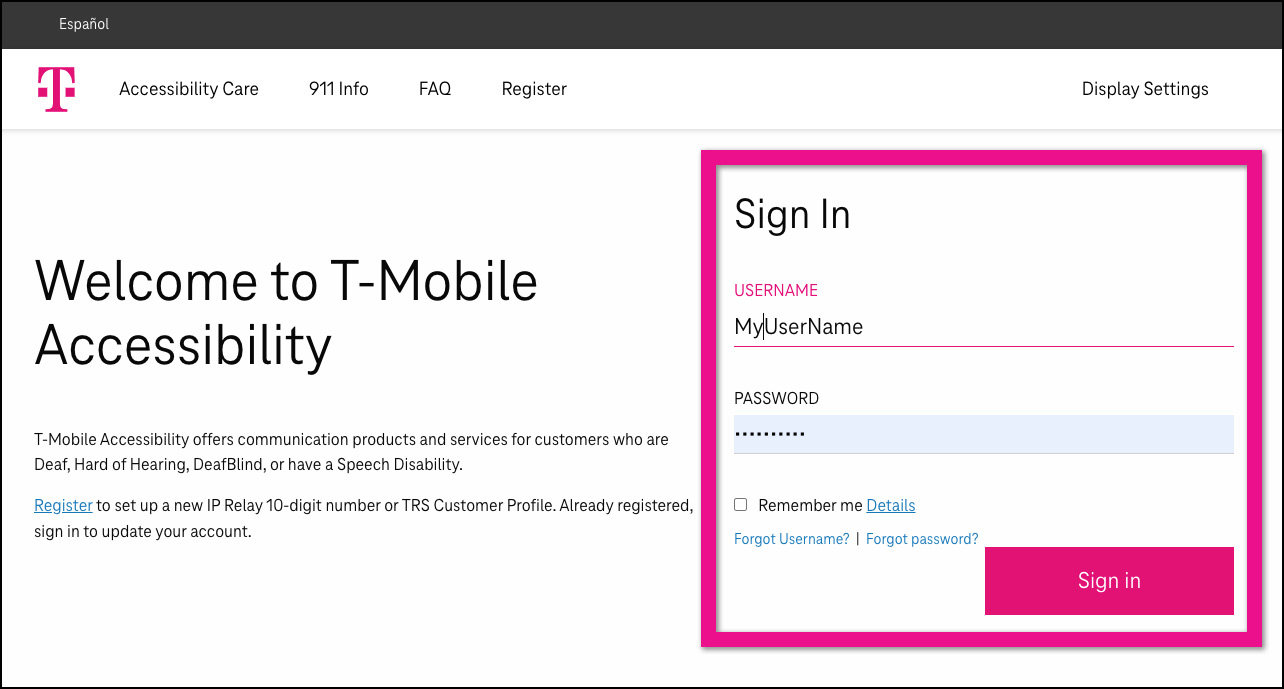
Go to t-mobile.com/trsprofile
Log in with your username and password.
Click Sign In.

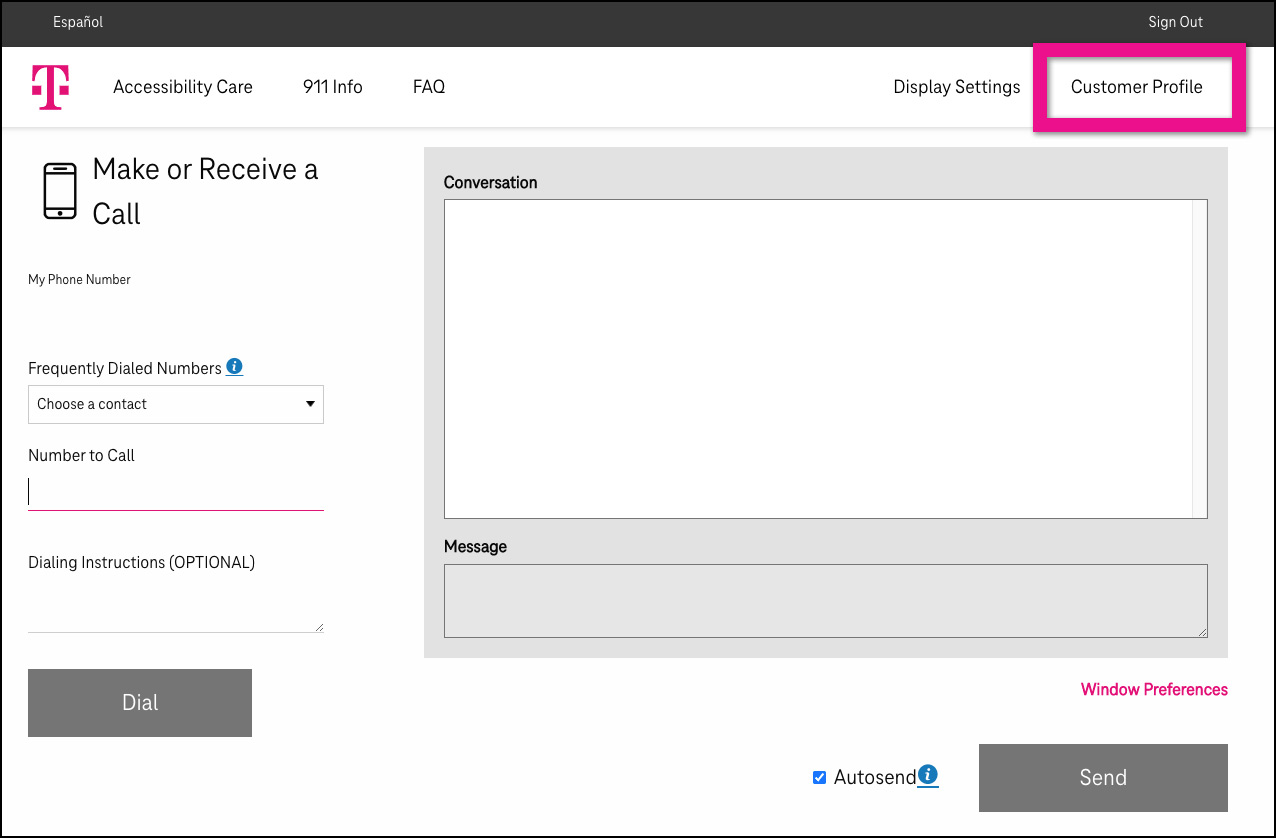
Click Customer Profile in the upper right corner of the monitor screen.

You are now on the Customer Profile.
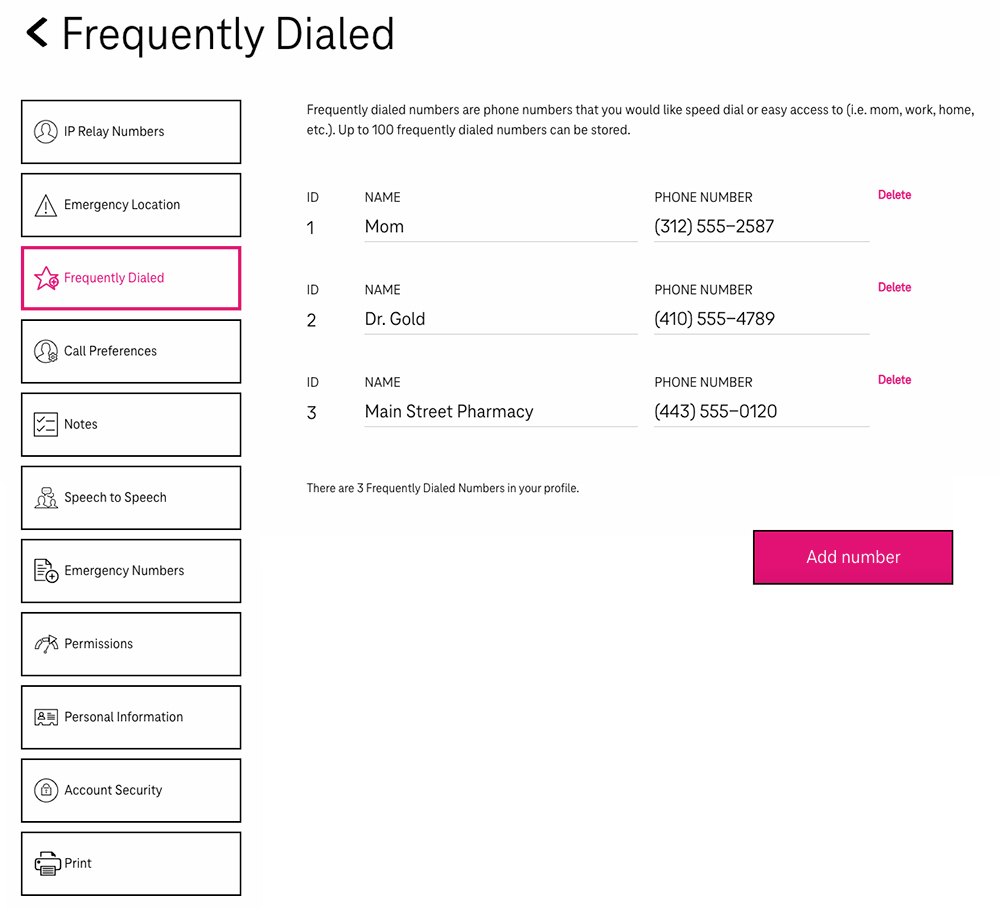
There are tabs on the left side that are:
- Emergency Location
- Frequently Dialed
- Call Preferences
- Notes
- Speech to Speech
- Emergency Numbers
- Permissions
- Personal Information
- Account Security
- Print Customer Profile

Contact Us
Your connection matters. Reach out today and explore how Kansas Relay can support your communication needs.
.png?width=315&height=181&name=Kansas-Relay-(blue-bground-with-yellow-and-blue-letters).png)
.png?width=315&height=181&name=Kansas-Relay-(yellow-and-white-letters).png)